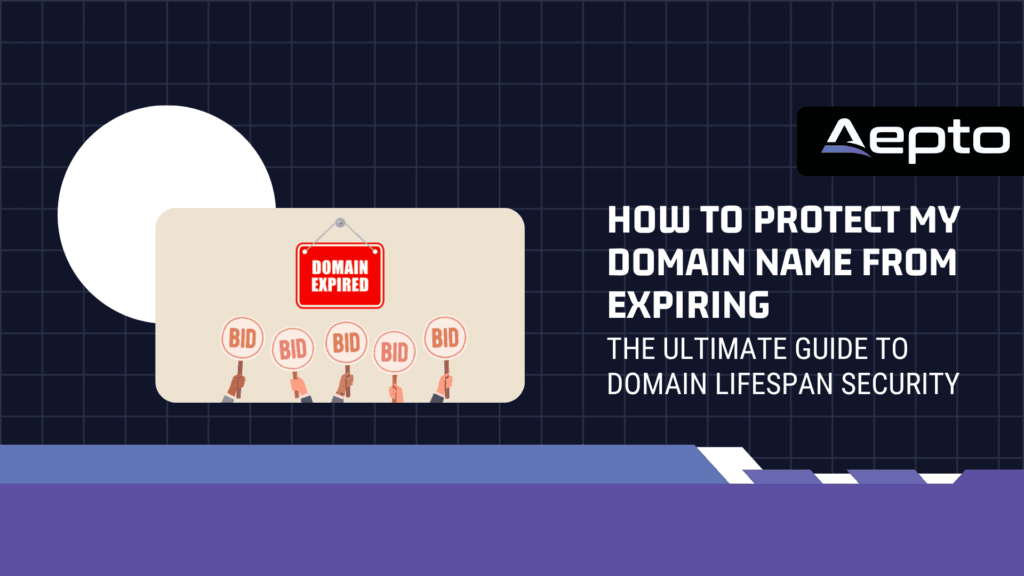
Overview: Protecting Your Domain Name from Expiring
In the modern digital economy, your domain name is the single most critical asset your business owns. It is the virtual front door to your brand, the host of your customer-facing applications, the core of your email communications, and the anchor of your search engine rankings.
Despite this unquestionable importance, thousands of valuable domain names expire every single day, not because businesses choose to abandon them, but because of administrative oversights, technical failures, or lack of structured oversight.
When a domain name accidentally expires, the consequences are immediate and catastrophic. Your website goes offline instantly. Corporate email accounts bounce. Integrated APIs shatter. Search engine crawlers hit dead ends, causing SEO rankings built over a decade to slip away in days.
In worst-case scenarios, expired domains are immediately snatched up by automated “drop-catchers” or malicious competitors, forcing brands to pay tens of thousands of dollars to buy back their own digital identity.
Knowing how to protect my domain name from expiring is not merely a task for your IT checklist; it is an active risk-management strategy. This comprehensive guide details the ICANN domain lifecycle, the common root causes of accidental expirations, and the modern, automated strategies you can implement with Aepto to ensure your digital identity remains safe, operational, and firmly under your control.
Key Takeaways
Before diving into the technical mechanics, here are the essential strategies to prevent domain expiration:
- Understand the Lifecycle: Domains do not immediately become public upon expiration. They enter grace periods where recovery is possible but highly expensive.
- Enable Multi-Year Registrations: Registering your core brand assets for 5 to 10 years secures long-term ownership and shields you from annual price hikes.
- Establish Billing Redundancy: Save multiple payment methods (credit cards, backup cards, and PayPal accounts) with your registrar to prevent transaction failures.
- Deploy Independent Monitoring: Registrar alerts fail. Use a centralized, third-party platform to track registry-level expiration states.
- Harden Your Server Infrastructure: Secure routing means nothing if your backend host crashes. Pair secure domain watch with reliable, hardened hosting.
Understanding the Domain Expiration Lifecycle
To effectively protect your digital assets, you must first understand the technical and legal timeline of an expiring domain name. Many webmasters mistakenly believe that once a domain hits its expiration date, it is instantly lost or made available for public registration.
In reality, ICANN (the Internet Corporation for Assigned Names and Numbers) enforces a highly structured, multi-phase lifecycle designed to give owners opportunity to recover their assets.
[ Active Period ] ➔ [ Expiration Date ] ➔ [ Auto-Renew Grace Period ] ➔ [ Redemption Grace Period ] ➔ [ Pending Delete ] ➔ [ Released to Public ]
Phase 1: The Auto-Renew Grace Period (1 to 45 Days)
Immediately following the formal expiration date, the domain enters the Auto-Renew Grace Period. During this time, the registrar temporarily keeps the domain active or parks it on an “expired domain” lander.
- Your primary services (website and email) will go offline to grab your attention.
- While you can typically renew the domain during this phase at the standard annual rate, you are playing with fire. Any prolonged downtime during this phase will heavily damage your organic search positioning and brand authority, falling under the classic common domain mistakes that cost businesses traffic & revenue.
Phase 2: The Redemption Grace Period (Typically 30 Days)
If the domain is not renewed during the initial grace period, it is flagged for deletion and enters the Redemption Grace Period (RGP).
- At this stage, the registry strips your DNS settings completely.
- To recover the domain now, you cannot simply pay the standard renewal rate. Registrars impose a heavy “redemption fee,” which frequently ranges from $80 to $300 or more, plus the cost of renewal.
Phase 3: The Pending Delete Phase (5 Days)
Once the redemption window closes, the domain moves into the “Pending Delete” status. This is the point of no return. The domain is locked within the registry system and cannot be recovered, updated, or transferred by the original owner. After exactly five days in this status, the domain is dropped from the central registry database and released back into the public pool for anyone to claim.
The Silent Killers: Why Domains Accidentally Expire
If protecting a domain was as simple as clicking a button, accidental expirations wouldn’t exist. The reality is that organizational growth, shifting staff, and administrative fragmentation create massive security blind spots. Understanding these root causes is crucial to configuring a bulletproof defensive perimeter.
The Single Point of Failure: Expired Payment Cards
The number-one cause of domain expiration is outdated financial credentials. Businesses often register domains on multi-year terms. By the time the renewal date arrives years later or the corporate credit card used to secure the initial purchase has expired. If the auto-renewal fails, the domain enters the expiration sequence silently.
Outdated WHOIS and Registrar Contacts
Registrars are legally required to send renewal notifications 30 days and 7 days prior to a domain’s expiration. However, these notifications are sent to the administrative email address listed in the domain’s WHOIS data.
Over time, employees leave companies, agencies change, or generic mailboxes (like webmaster@company.com) are decommissioned. When the warnings land in a dead inbox, the business remains completely unaware of the looming threat until their services go dark.
Domain Sprawl and Registrar Fragmentation
As organizations scale, they acquire new brands, defensive trademarks, and geographic extensions. Over several years, different departments, marketing agencies, or developers register these domains across separate registrars (such as GoDaddy, Namecheap, and Route 53).
Without a centralized inventory, tracking the financial lifecycle of dozens of names becomes an administrative impossibility. This is why transitioning to an integrated, centralized view is so critical; check our guide on why centralized domain management matters more than ever to understand how fragmentation breeds vulnerability.
Best Practices to Protect Your Domain Name
Preventing domain expiration requires a mix of administrative discipline, defensive registration habits, and active software-driven monitoring. Here is a step-by-step blueprint to securing your portfolio.
| Protection Step | Action Item | Priority Level |
|---|---|---|
| 1. Multi-Year Registration | Register core domains for 5 to 10 years | High |
| 2. Redundant Billing | Add multiple backup credit cards and PayPal | High |
| 3. Centralization | Monitor all registrars from a single dashboard | High |
| 4. Active Monitoring | Enable independent third-party alerting | Critical |
| 5. Portfolios & Folders | Segment domains by business value | Medium |
Step 1: Secure Multi-Year Registrations for Core Brand Assets
For your primary brand domains, never register them on a year-to-year basis. Registering your core assets for 5 to 10 years guarantees long-term operational security. It also shields your brand from annual registrar price hikes and signals to search engines like Google that you are a stable, long-term business, directly boosting your technical SEO.
Step 2: Establish Redundant Payment Methods
Never rely on a single credit card for your registrar accounts.
- Set up a primary payment card.
- Add a secondary corporate card as a backup.
- Connect a verified corporate PayPal account as a third tier of redundancy.
- Regularly audit your registrar’s billing settings every six months to verify that no expiration dates are nearing.
Step 3: Centralize Your Portfolio Under One Dashboard
If you own domains across multiple registrars, do not waste time managing them in isolation. Bring them into a unified command center. By utilizing platforms that are designed to simplify domain management, you can track expiration dates, nameservers, and WHOIS records across different providers. This allows you to retain your existing registrar relationships while maintaining centralized financial control.
Supercharging Domain Safety with Aepto
While registrar-level configurations are helpful, they are inherently fragile. If a registrar’s internal mailer fails, or if an automated renewal script glitches, your domain is left unprotected. True domain security requires an independent, intelligent, external watchdog. This is where Aepto’s platform transforms your domain defense.
Smart, Multi-Channel Renewal Alerts
Standard registrar warnings are easily lost in cluttered corporate inboxes. Aepto implements smart domain renewal alerts that bypass the noise. Our system tracks registry-level expiry dates directly from the root zone servers, completely independent of your registrar’s database.
If a domain is approaching its expiration date, Aepto triggers a series of escalating notifications across multiple channels:
- Email digests sent to multiple stakeholders, not just one administrative address.
- Instant SMS messages to designated system administrators.
- Automated webhook notifications pushed directly to team communication suites like Slack, Microsoft Teams, or Discord.
Proactive Domain Protection
Domain protection goes beyond dates; you must watch for structural changes. If an attacker compromises your registrar credentials, they may attempt to disable transfer locks to move your domain out of your control. By activating domain protection and theft guard systems, you ensure your domain remains locked at the registry level. The instant any change is made to your transfer status, nameservers, or WHOIS contact data, the platform triggers an alert.
Security Integration: The Domain and Hosting Connection
A domain name cannot function in a vacuum; it must point to a stable, high-performance web hosting environment. When structuring your online presence, securing your domain’s renewal path is only half the battle. You must also ensure that the servers holding your website data are reliable, fast, and secure against physical and virtual threats.
To achieve maximum digital resilience, we recommend pairing Aepto’s advanced domain safety features with a robust, enterprise-grade web hosting provider. For instance, hosting your website databases and applications on an optimized infrastructure like Limitless Hosting provides the perfect structural synergy.
While Aepto watches over your domain’s registry and expiry health, a high-performance hosting partner keeps your server software secure, ensuring your website remains fast and stable for global traffic.
By aligning your domain intelligence with highly optimized hosting environments, you eliminate technical gaps. If your hosting environment encounters a sudden node issue, or if your domain DNS is accidentally modified, you can verify that your live hosting IPs match your registered DNS records at all times, ensuring complete structural stability.
How to Deploy a Domain Protection Plan
To successfully implement a modern domain protection strategy across your enterprise, execute the following three-step plan:
Step 1: Centralize and Audit Your Inventory
Consolidate all domains registered across various departments, subsidiaries, and marketing agencies. Import them into your centralized dashboard so you have an accurate, audited picture of your digital footprint.
Step 2: Configure Redundant Payment Paths
Log into your various registrar portals and add backup credit cards or PayPal billing agreements. Ensure that auto-renewal is toggled “ON” for every active domain in your inventory.
Step 3: Connect External Alerting to Your Security Stack
Route your Aepto domain alerts directly to your Security Operations Center (SOC) or team communication channels. This ensures that your IT and engineering teams have real-time visibility into nameserver drifts, registry status changes, or impending renewal deadlines.
Conclusion: Simplify and Secure with Aepto
Your domain name is the digital anchor of your business’s legacy. Relying solely on basic registrar configurations, outdated spreadsheets, or single-point-of-failure credit cards to protect it is an unnecessary risk. Accidental domain expiration is entirely preventable when you implement structured, automated, and independent oversight.
By centralizing your assets, configuring redundant payment paths, and deploying Aepto’s independent monitoring layers, you ensure that your digital identity remains uninterrupted. Embrace automated domain security and give your brand the ironclad protection it deserves.
Are you ready to secure your digital presence? Open your Aepto Dashboard today to audit your domain health, activate real-time watching, and leverage the power of automated threat detection.
Frequently Asked Questions (FAQs)
1. Can someone buy my domain immediately after it expires?
No. An expired domain is protected by several grace periods enforced by ICANN. It typically goes through an Auto-Renew Grace Period (1-45 days) and a Redemption Grace Period (30 days) before it enters the Pending Delete status (5 days) and is finally released to the public.
However, your website and email services will go offline during these periods, causing immediate operational damage.
2. What is a domain redemption fee, and why is it so high?
When a domain is not renewed during the initial grace period, the registrar deletes it and sends it back to the registry. To retrieve a domain from the registry during the Redemption Grace Period, the registrar must pay a heavy administrative processing fee. Registrars pass this cost onto you, resulting in a penalty fee ranging from $80 to $300+.
3. How does Aepto monitor my domains if they are registered with different companies?
Aepto queries the root-zone registry servers directly using WHOIS and DNS protocols. Because we pull data straight from the authoritative source rather than relying on a single registrar’s API, we can monitor, track, and alert you on domains registered anywhere in the world, making our platform compatible with all registrars.
4. Why did my domain expire even though I had auto-renew enabled?
Auto-renew is only as reliable as the payment method connected to it. If your credit card expired, was declined due to fraud security limits, or the billing address changed, the automatic transaction will fail. This is why having redundant payment methods and independent, multi-channel alerting from Aepto is critical.
5. Can I transfer an expired domain to a different registrar?
Generally, no. Once a domain expires, it is locked by the registry. You must renew the domain with your current registrar to restore it to active status before you can initiate a transfer to a new provider.
6. How does premium hosting complement my domain security?
Even if your domain’s routing is completely secure, your site can go offline due to local server issues or infrastructure-level breaches. Hosting your applications on a secure, high-performance host like Limitless Hosting ensures that your live data is fully protected, stable, and performing optimally for global users.
Latest posts: