Overview: How To Do WordPress Uptime Monitoring
the modern digital landscape, your WordPress website is not merely a collection of pages; it is the primary interface between your organization and the global market. It functions as a 24/7 sales representative, a lead generation engine, and the definitive repository of your brand’s authority.
However, the very flexibility and extensibility that make WordPress the world’s most popular Content Management System (CMS) also introduce a complex web of dependencies. When these dependencies fail, the result is downtime—a silent revenue killer that erodes trust faster than any competitor ever could.
For enterprise leaders, the conversation around WordPress uptime monitoring must shift from a “technical utility” to a “strategic imperative.” Every second of downtime is a quantifiable loss in marketing spend, customer acquisition, and search engine equity.
In this comprehensive analysis, we explore why high-frequency, AI-driven monitoring is the cornerstone of a resilient digital strategy.
The Real Cost of Downtime: Beyond the Surface
When a WordPress site goes down, many stakeholders only consider the immediate loss of sales. However, the financial impact is multi-dimensional and often lingers long after the site is restored.
The Direct Revenue Leakage
For e-commerce platforms powered by WooCommerce, the math is simple: (Average Revenue Per Hour / 60) * Minutes of Downtime.
However, for B2B service providers, the cost is often “The Lifetime Value of a Lost Lead.” If a high-value prospect clicks an ad and lands on a “504 Gateway Timeout” page, they are unlikely to return. You haven’t just lost a click; you’ve lost a potential multi-year contract.
The SEO “Trust Tax”
Google’s algorithms are designed to provide users with reliable results. If the Googlebot repeatedly encounters errors (404s, 500s, or 503s) while crawling your site, your “Crawl Budget” is wasted, and your rankings will plummet.
Search engines view frequent downtime as a sign of poor maintenance. Recovering from an SEO penalty caused by instability can take months of intensive labor, making monitoring a vital part of your AI platform monitoring tool for content gap analysis.
The Erosion of Brand Authority
Trust is the hardest currency to earn and the easiest to lose. In an age of social media, a broken website is a public failure.
Customers who encounter a broken site don’t blame the hosting provider; they blame your brand. They perceive an unreliable website as a proxy for unreliable service.
Why WordPress is Uniquely Vulnerable
WordPress is a “stack” of technologies: Linux, Apache/Nginx, MySQL/MariaDB, and PHP (the LAMP/LEMP stack). On top of this, you have the WordPress Core, themes, and an average of 20 to 50 plugins.
The “Plugin Chain Reaction”
A single update to a minor plugin can trigger a conflict with your theme’s functions.php file, leading to the “White Screen of Death.” Unlike a static HTML site, WordPress is dynamic. It builds each page “on the fly” by querying the database.
If the database is slightly unoptimized, a small spike in traffic can cause a total application collapse even if the server itself remains running.
The Problem with “Dumb” Monitoring
Standard “ping” monitoring only checks if the server is responding. But for WordPress, the server can be “up” while the application is “down.” A site might return a 200 OK status while displaying a database connection error.
This is where advanced monitoring becomes essential—it looks for specific “Success Identifiers” on the page to ensure the site is actually functional for the user.
Ready to scale your workflow?
Explore how our latest tools can save you hours of manual work every week.
The Role of AI in Enterprise WordPress Management
As organizations scale, the number of digital assets they manage grows exponentially. Traditional monitoring often leads to “Alert Fatigue,” where IT teams receive so many notifications that they begin to ignore them.
Predictive vs. Reactive Monitoring
AI-driven monitoring platforms, such as Aepto, change the narrative. Instead of telling you that your site is down, these systems use pattern recognition to tell you that your site will be down.
By tracking metrics like “Time to First Byte” (TTFB) and memory consumption trends, AI can identify a slow-developing memory leak or a database bottleneck before it hits a critical threshold.
To understand the architecture behind this, we recommend exploring how does AI domain monitoring work, as the logic of path-analysis is identical to application-health analysis.
Reducing the Noise
AI can distinguish between a “False Positive” (like a 2-second network blip in a specific region) and a “Hard Outage.” This ensures that your highly-paid engineering team only wakes up at 3:00 AM for genuine emergencies. This efficiency is a primary reason how AI is changing the way we manage domains and hosting.
Security as an Availability Metric
In the WordPress world, security and uptime are two sides of the same coin. A hacked site is often a slow or non-responsive site.
DDoS and Brute Force Attacks
WordPress sites are constant targets for “Botnets.” A brute-force attack on your wp-login.php file can consume all available PHP workers, effectively taking your site down even if the hackers never actually get in. Uptime monitoring detects these spikes in resource usage, allowing you to implement WAF (Web Application Firewall) rules before the site crashes.
SSL and DNS: The Invisible Pillars
If your SSL certificate expires, your site is effectively down for anyone using a modern browser. Similarly, a DNS misconfiguration can redirect your traffic into a black hole. Centralized domain management combined with uptime monitoring creates a “Fail-Safe” environment where every layer of the connection is verified.
Scaling with Confidence: The Multi-Site Advantage
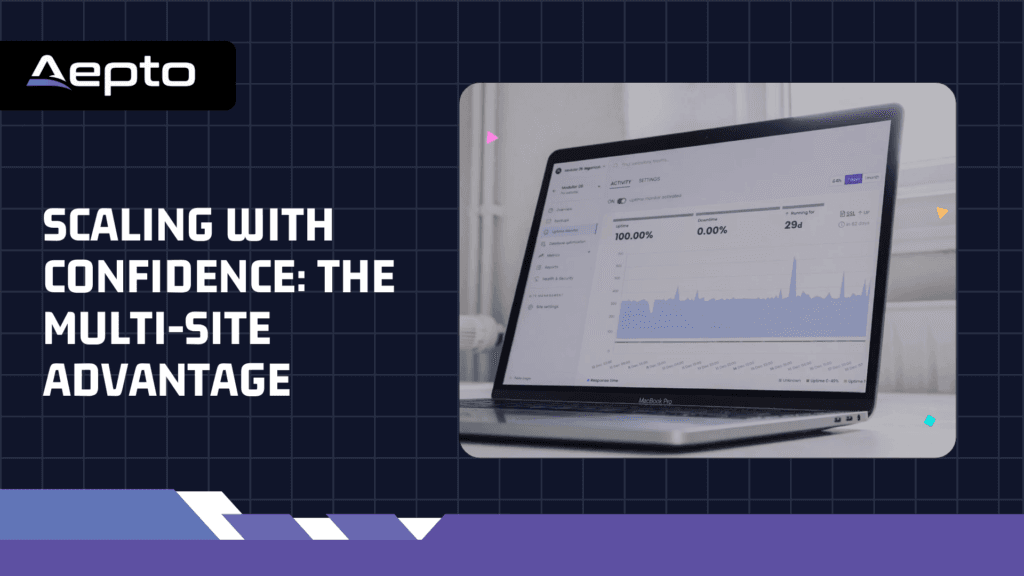
For agencies or enterprises managing a portfolio of hundreds of WordPress sites, fragmentation is a massive risk. A centralized monitoring dashboard allows for:
- Regional Performance Benchmarking: Is our site slow in Tokyo but fast in London?
- Update Orchestration: Monitoring the “Before and After” of plugin updates to ensure no regressions occurred.
- Standardized Reporting: Providing stakeholders with “Transparency Logs” that prove the 99.99% uptime guarantee.
By using AI domain monitoring, Limitless Hosting Great Deals and advanced application tracking, organizations can move from a defensive posture to an offensive one, using their site’s reliability as a competitive advantage.
Conclusion: The Roadmap to 100% Availability
Total availability is an aspiration, but 99.99% is a reachable goal with the right tools. The transition from reactive “fixing” to proactive “monitoring” is the hallmark of a mature digital organization. By leveraging AI-driven platforms like Aepto, businesses can ensure that their WordPress site remains a source of growth, not a source of stress.
The path forward involves:
- Auditing current response times across global regions.
- Integrating DNS and Domain health into the application monitoring stack.
- Implementing AI-driven alerting to eliminate noise.
By following these steps, you don’t just protect your site; you protect your future revenue. To get started on this journey, learn more about the common domain mistakes to avoid to ensure your foundation is solid.
FAQ: Strategic Insights for WordPress Reliability
Q1: We use a “Managed WordPress Host” like WP Engine or Kinsta. Don’t they do this for us?
Managed hosts are excellent, but they have a conflict of interest. They monitor their infrastructure to ensure their servers are running. If your specific site goes down because of a custom code error or a plugin conflict, they may not alert you until the problem affects other users. External monitoring provides an unbiased “Customer Perspective.”
Q2: How does uptime monitoring impact our marketing ROI?
Every marketing dollar spent on PPC (Pay-Per-Click) or Social Ads is wasted if the destination URL is down. Monitoring allows you to automatically pause your ad campaigns if the site stops responding, saving thousands in wasted ad spend.
Q3: Can uptime monitoring detect “Partial Failures”?
Yes. Modern monitoring can check if your checkout button is missing or if your contact form is returning an error. This “Transaction-level” monitoring is far more valuable than a simple “Site Up” check.
Q4: Is there a benefit to monitoring from different global locations?
Absolutely. Global latency varies. A CDN (Content Delivery Network) failure might affect users in Europe while US users see no issues. Multi-region monitoring ensures a consistent experience for your entire global audience.
Q5: What is the relationship between site speed and uptime?
Speed is often a “Leading Indicator” of uptime. A site that starts slowing down is usually about to crash. Monitoring “Time to First Byte” allows you to fix performance issues before they become availability issues.
Q6: How does AI improve our security posture?
AI monitoring identifies unusual traffic patterns that often signal the beginning of an injection attack or a scraper bot. This allows you to bolster your AI cloud security before an actual breach occurs.
Q7: Can monitoring help us during “Flash Sales” or product launches?
Yes. It provides real-time feedback on how your server is handling the load. If response times climb, you can manually scale your resources or activate “Under Attack” modes on your firewall.
Q8: What happens to our SEO if the site is down for an hour?
A single hour won’t destroy your rankings, but frequent “Micro-Outages” (1-2 minutes multiple times a day) will. These signal to Google that your infrastructure is unstable, leading to a “De-indexing” of certain pages.
Q9: Does monitoring require installing a plugin?
No. In fact, it is better to use “Agentless” monitoring. This means the monitoring service pings your site externally. This way, if the entire site (including its plugins) crashes, the monitor still works.
Q10: How can we justify the cost of “Premium” monitoring?
Compare the monthly fee to the hourly wage of your developer and the lost revenue of an outage. Usually, the “Annual Cost” of monitoring is less than the cost of “One Hour” of a developer’s time spent fixing a site that went down without an alert.
Q11: Can monitoring detect if my site has been defaced?
Yes. By using “Keyword Monitoring,” the system looks for specific text on your page. If a hacker replaces your homepage with their own content, the monitor won’t find your keywords and will trigger an immediate alert.
Q12: Is there a connection between domain management and uptime?
Directly. Expired domains or changed DNS records are leading causes of downtime. Integrating your monitoring with centralized domain management ensures all points of failure are covered.
Latest Posts: