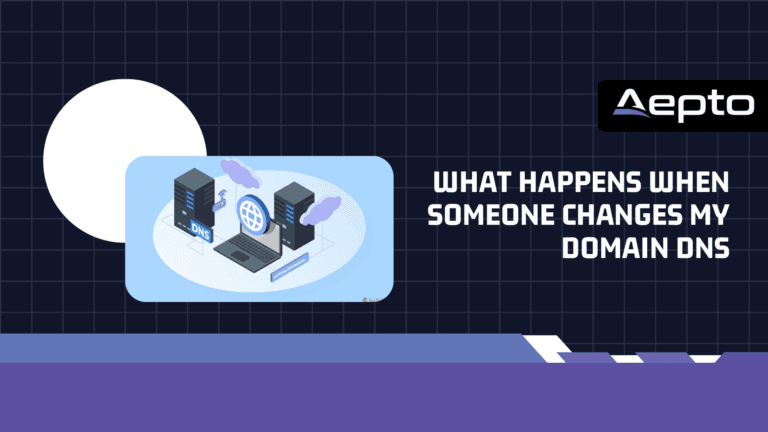
A domain can be registered correctly, renewed on time, and protected with a strong password — yet a single unauthorized DNS change can still disrupt the services connected to it.
When someone changes your domain DNS, they can potentially redirect web traffic, interrupt email delivery, point services toward another server, or make legitimate applications unreachable. In more serious situations, unauthorized DNS changes can become part of a domain takeover, phishing, or traffic interception campaign.
The difficult part is that DNS changes are often invisible to normal website visitors. A domain may continue to appear correctly in a browser for some users while other users receive different DNS responses because of caching and DNS propagation.
For businesses managing multiple domains, DNS monitoring therefore needs to be part of the broader domain security strategy.
This guide explains what happens when Someone Changes My Domain DNS, how DNS changes affect websites and email, how to investigate unexpected records, how DNS propagation works, and how automated monitoring can help detect unauthorized changes before they become a larger incident.
What Is Domain DNS?
The Domain Name System (DNS) translates human-readable domain names into information that computers can use to locate network services.
For example:
example.com
     |
     v
DNS lookup
     |
     v
A / AAAA / CNAME / other records
     |
     v
Destination infrastructure
A visitor does not normally need to know the IP address of your web server.
Instead, their device asks a DNS resolver for the records associated with your domain.
A typical website may use records such as:
| DNS Record | Common Purpose |
|---|---|
| A | Maps a hostname to an IPv4 address |
| AAAA | Maps a hostname to an IPv6 address |
| CNAME | Points one hostname to another hostname |
| MX | Specifies mail servers |
| TXT | Stores text-based configuration and verification data |
| NS | Identifies authoritative nameservers |
| CAA | Controls which certificate authorities can issue certificates |
| SOA | Contains authoritative zone information |
Because DNS controls how services locate each other, changing DNS records can change where users and systems connect.
What Happens When Someone Changes Your Domain DNS?
The exact consequences depend on which DNS record was changed.
A modification to an A record can affect website traffic.
A modification to an MX record can affect email.
A modification to an NS record can potentially change the authoritative DNS infrastructure for the domain.
A change to a CNAME can redirect a hostname to another destination.
Therefore, there is no single result when someone changes domain DNS.
The correct question is:
Which DNS record changed, what was its previous value, what is the new value, and what service depends on that record?
1. Your Website Could Stop Working
One of the most obvious consequences is website downtime.
Suppose your website previously used:
example.com
A 203.0.113.25
If someone changes the record to:
example.com
A 198.51.100.40
DNS resolvers may eventually return the new address.
Visitors who receive the new DNS response will connect to the new destination rather than the original web server.
Depending on what exists at that destination, visitors might see:
- A different website
- A server error
- A blank page
- A parked domain
- A phishing page
- A connection failure
This is why global uptime monitoring can complement DNS monitoring.
DNS monitoring tells you that the configuration changed.
Uptime monitoring can help identify the operational consequence.
2. Website Traffic Could Be Redirected
An unauthorized DNS change does not necessarily make a website unavailable.
It can redirect visitors somewhere else.
This creates a particularly dangerous situation because a basic uptime check might still report:
HTTP 200 OK
The server is responding.
The website is technically online.
But users may be reaching the wrong infrastructure.
For example:
Legitimate DNS
example.com
      |
      v
Your Web Server
      |
      v
Your Website
After an unauthorized change:
Modified DNS
example.com
      |
      v
Unknown Server
      |
      v
Unexpected Content
This is why website monitoring and DNS monitoring solve different problems.
A website can be available while its DNS configuration is incorrect.
3. Email Can Stop Working
DNS does not only control websites.
Email infrastructure relies heavily on DNS.
Mail Exchange (MX) records tell sending mail systems which servers should receive email for a domain.
For example:
example.com
MX 10 mail.example.com
If an attacker changes the MX configuration, incoming email may be delivered somewhere else or fail altogether.
That can affect:
- Customer communication
- Password reset messages
- Sales inquiries
- Internal communication
- Transactional email
- Support tickets
- Account notifications
For businesses, this can create a larger incident than website downtime because employees may not immediately realize that email routing has changed.
4. Verification and Authentication Services Can Break
Many online services use DNS records to verify domain ownership.
TXT records are commonly used for verification and email authentication.
Examples include configurations related to:
- SPF
- DKIM
- DMARC
- Domain verification
- Third-party SaaS services
- Cloud platforms
- Certificate issuance
Changing these records can cause legitimate services to stop recognizing the domain correctly.
An unexpected DNS modification can therefore create problems even when the website itself remains online.
5. SSL and Certificate Workflows Can Be Affected
DNS changes can also interfere with certificate-related processes.
Some certificate authorities use DNS-based validation to confirm control over a domain.
If DNS records used for validation change unexpectedly, certificate issuance or renewal workflows can fail.
Organizations should therefore treat DNS configuration as part of their broader certificate and domain security strategy.
Businesses that depend heavily on HTTPS should also maintain continuous SSL certificate monitoring so certificate problems are detected independently of DNS events.
DNS Changes Do Not Always Appear Immediately
One reason DNS incidents can be confusing is caching.
DNS records have a Time to Live (TTL).
TTL tells recursive resolvers how long they may cache a DNS response before requesting fresh information.
For example:
example.com
TTL: 3600 seconds
A resolver may cache the response for approximately one hour.
This means that after a DNS change, different users may temporarily receive different answers.
You could see:
User A -> Old DNS response
User B -> New DNS response
User C -> Old DNS response
User D -> New DNS response
This does not necessarily mean that the monitoring system is wrong.
It may reflect normal DNS caching behavior.
How DNS Propagation Complicates Incident Response
The term “DNS propagation” is commonly used to describe the period during which DNS changes become visible across different resolvers.
Technically, DNS does not simply broadcast a change to every device on the internet.
Instead, recursive resolvers cache responses according to TTL values and refresh them when necessary.
This matters during an incident.
If an unauthorized DNS change occurs, an organization may need to determine:
- When the record changed.
- What the previous value was.
- What the new value is.
- Which authoritative nameservers currently answer.
- Whether recursive resolvers have cached the old response.
- Which users are receiving the new response.
- Which services depend on the affected record.
Without historical monitoring, determining the original state can become difficult.
How to Check Whether Your DNS Was Changed
If you suspect an unauthorized DNS change, start by checking the current records.
Check A and AAAA records
Using dig:
dig example.com A
dig example.com AAAA
You can also request a specific resolver:
dig @1.1.1.1 example.com A
dig @8.8.8.8 example.com A
This can help you compare responses from different recursive resolvers.
Check MX records
dig example.com MX
If the result differs from your documented mail infrastructure, investigate immediately.
Check nameservers
dig example.com NS
Nameserver changes deserve particular attention because the authoritative DNS infrastructure determines where the domain’s DNS zone is managed.
Check TXT records
dig example.com TXT
Look for unexpected verification, authentication, or policy records.
Check the full DNS response
You can also use:
dig example.com ANY
However, responses to ANY queries can be incomplete or restricted depending on the DNS provider and resolver.
For operational troubleshooting, querying the specific record types you need is usually more useful.
Take the Work Out of Domain Monitoring
Monitor your domains with Aepto’s AI-powered system and spend less time checking websites, ownership changes, expirations, and other important domain activity manually.
What Should You Compare During an Investigation?
Do not only ask:
“Is the DNS record correct now?”
Also ask:
“What was the expected value before the incident?”
A useful investigation table looks like this:
| Record | Expected | Current | Status |
|---|---|---|---|
| A | 203.0.113.25 | 203.0.113.25 | Normal |
| AAAA | Expected IPv6 | Unexpected IPv6 | Investigate |
| MX | mail.example.com | mail.example.com | Normal |
| NS | Provider nameservers | Different nameservers | Critical |
| TXT | Approved policy | Unknown value | Investigate |
Historical data is important because an attacker could change a record and then restore it later.
If you only check the current configuration, you may find nothing suspicious.
How Can Someone Change Your DNS?
An unauthorized DNS change can happen through several paths.
Compromised registrar account
If an attacker obtains access to the registrar account, they may be able to change nameservers or other domain settings.
Compromised DNS provider account
If DNS is managed separately from the registrar, an attacker may target the DNS provider account.
Weak credentials
Reused or weak passwords increase account compromise risk.
Phishing
A convincing phishing message can trick an administrator into providing login credentials.
Compromised employee account
An attacker may obtain access through an employee’s email or identity account and then use legitimate administrative permissions.
Poor access controls
If too many people have permission to modify DNS, accidental or unauthorized changes become more likely.
DNS security is therefore not only a DNS problem.
It is also an identity, access-control, and monitoring problem.
Why DNS Change Monitoring Matters
Preventing every unauthorized change can be difficult.
Detecting the change quickly is often more realistic.
A DNS monitoring system can maintain an expected configuration and detect differences.
For example:
Expected:
example.com A 203.0.113.25

Current:
example.com A 198.51.100.40

Result:
Unexpected DNS change detected
The value of monitoring comes from shortening the time between:
configuration change → detection → investigation → remediation
Without monitoring, the timeline may become:
configuration change → customer reports problem → investigation begins
That difference can be significant.
Aepto’s AI-powered smart domain insights can provide additional context around domains and their associated configuration, helping organizations build a broader view of domain health rather than treating DNS as an isolated setting.
What to Do If Someone Changed Your DNS
If you confirm an unauthorized DNS change, use a structured incident-response process.
Step 1: Do not immediately delete evidence
Record:
- Current DNS records
- Previous known values
- Nameservers
- Registrar information
- Timestamps
- Relevant account activity
- Monitoring alerts
- Server logs
Preserving evidence can help determine what happened.
Step 2: Confirm the authoritative nameservers
Run:
dig example.com NS
Determine whether the nameservers match your expected DNS provider.
If the nameservers themselves changed unexpectedly, investigate the registrar account immediately.
Step 3: Check the registrar account
Review:
- Login activity
- Account changes
- Nameserver modifications
- DNS modifications
- Contact information
- Security settings
- API credentials
If unauthorized access is suspected, secure the account.
Step 4: Change compromised credentials
Use a strong, unique password.
Where available, enable multi-factor authentication.
Review other users with administrative access and remove unnecessary permissions.
Step 5: Restore the correct DNS configuration
Restore only verified records.
Do not blindly copy values from an old screenshot or spreadsheet.
Confirm the required:
- A records
- AAAA records
- CNAME records
- MX records
- TXT records
- NS records
- CAA records
Step 6: Check website and email functionality
After restoring DNS, verify:
dig example.com A
dig example.com MX
curl -I https://example.com
Then test important business workflows such as:
- Website access
- Login
- Contact forms
- Transactional email
- Customer email delivery
- Third-party integrations
Step 7: Continue monitoring
Do not stop monitoring after the record is restored.
If an account was compromised, the attacker may still have access.
Continue reviewing DNS and domain activity until the incident is fully understood.
How to Prevent Unauthorized DNS Changes
Prevention should combine access control and continuous monitoring.
Use multi-factor authentication
MFA reduces the risk associated with compromised passwords.
Limit administrative access
Only authorized users should be able to modify DNS.
Use strong account security
Avoid password reuse across registrar, DNS, hosting, and email accounts. Try better hosting Like Limitless Hosting, which includes security into their packages.
Document expected DNS configuration
Maintain a reliable source of truth for critical records.
Monitor DNS continuously
Automated monitoring can detect changes without requiring someone to manually compare records.
Protect important domains
Businesses should consider additional protection for domains that support:
- Corporate websites
- Email infrastructure
- Customer applications
- Ecommerce platforms
- Authentication systems
- High-value brands
Organizations can also review domain protection and theft guard capabilities as part of a broader domain security strategy.
DNS Monitoring vs Website Monitoring
These two forms of monitoring are related but not interchangeable.
| Monitoring Type | What It Detects |
|---|---|
| DNS monitoring | Changes to DNS configuration |
| Uptime monitoring | Website/service availability |
| SSL monitoring | Certificate problems and expiration |
| Domain monitoring | Domain status and lifecycle events |
| Server monitoring | Infrastructure and resource issues |
Consider this example.
Someone changes:
example.com A
to an attacker’s server.
The attacker’s server responds normally.
A basic uptime monitor may report:
HTTP 200 OK
The website is technically reachable.
But DNS monitoring can detect that the destination changed.
This is why layered monitoring is important for critical domains.
Build a DNS Change Detection Workflow
A practical workflow for a business can look like this:
Baseline
Document approved DNS records.
Continuous monitoring
Periodically compare live DNS responses against the expected configuration.
Detection
Generate an alert when an important record changes.
Classification
Determine whether the change was:
- Planned
- Approved
- Accidental
- Unknown
- Potentially malicious
Investigation
Check registrar and DNS-provider activity.
Remediation
Restore the approved configuration if necessary.
Verification
Confirm that website, email, SSL, and dependent services work correctly.
Post-incident review
Determine why the unauthorized change was possible and improve controls.
DNS Monitoring for Businesses With Multiple Domains
The challenge becomes greater when a company manages dozens or hundreds of domains.
Manually checking DNS records across a large portfolio is inefficient.
For example:
10 domains   -> Manual checks may be practical
100 domains  -> Manual checks become inefficient
500 domains  -> Automation becomes increasingly important
The exact threshold varies by organization, but the principle remains the same.
As the number of domains increases, automated monitoring reduces repetitive administrative work.
This is especially important for businesses that use multiple registrars and DNS providers.
Aepto is designed around centralized domain visibility, helping businesses monitor domain-related information without treating every domain as an isolated asset.
DNS Changes Should Be Treated as Infrastructure Events
DNS is sometimes treated as a simple configuration layer.
For modern businesses, that is no longer sufficient.
DNS often connects:
- Users to websites
- Email systems to mail servers
- Applications to services
- SaaS platforms to domains
- Certificate systems to domain validation
- Security policies to domain identities
A DNS change can therefore have effects across several systems.
This makes DNS monitoring an important component of infrastructure observability.
Conclusion
When someone changes your domain DNS, the consequences depend on which records they modify and where those records point.
An unauthorized A or AAAA record can redirect website traffic. A changed MX record can disrupt email. A modified CNAME can redirect a service. Unexpected TXT records can interfere with verification or email security. A nameserver change can alter the authoritative DNS infrastructure for the entire domain.
The biggest challenge is often not fixing the DNS record.
It is detecting the change quickly and determining whether it was legitimate.
Businesses should therefore combine strong registrar and DNS-provider security with continuous monitoring, clear configuration baselines, restricted administrative access, and actionable alerts.
For organizations managing multiple domains, automated monitoring becomes even more important because manually checking DNS configurations does not scale efficiently.
Aepto helps businesses build centralized visibility across their domain portfolios, monitor important domain signals, and detect changes that deserve attention. Instead of waiting for customers or employees to report that something is wrong, organizations can build a proactive monitoring workflow around their domains.
For critical domains, DNS should never be treated as a set-and-forget configuration.
Monitor it, establish a known-good baseline, detect changes quickly, and investigate unexpected modifications before they become larger incidents.
Frequently Asked Questions
1. What happens if someone changes my domain DNS?
It depends on the DNS record that changes. An A or AAAA record can redirect website traffic, an MX record can affect email delivery, a CNAME can redirect a service, and a nameserver change can move authoritative DNS management to different infrastructure.
2. How do I know if someone changed my DNS?
Compare the current DNS records with a known-good configuration and review registrar or DNS-provider activity logs. Automated DNS monitoring can also alert you when monitored records change unexpectedly.
3. Can someone change my DNS without taking down my website?
Yes. An unauthorized DNS change can point a domain to a different server that still returns a valid HTTP response. The website may appear online while visitors are being sent to incorrect or malicious infrastructure.
4. Can changing DNS affect my email?
Yes. Email routing commonly relies on MX records. Changing MX records can cause incoming email to be delivered to a different mail server or fail to reach the intended mail infrastructure.
5. Are DNS changes immediately visible to everyone?
Not necessarily. DNS caching and TTL values mean different recursive resolvers may temporarily return different responses after a change. This can make an incident appear inconsistent across locations.
6. How can I prevent unauthorized DNS changes?
Use strong unique credentials, multi-factor authentication, limited administrative access, registrar security controls, and continuous DNS monitoring. Maintain a known-good configuration so unexpected changes can be identified quickly.
- Is Domain Protection Worth It? The Definitive Guide to Safeguarding Your Digital Identity
- Corporate Domain Name Management and Renewals: The Enterprise Strategy Guide
- Multi-Domain Oversight: The Operator’s Playbook
- Free vs Paid Domain Monitoring: What Are the Differences?
- What Causes Website Downtime and How Can You Detect It Faster?